bwf88 App: Your Whole Account, Installed on Android
The bwf88 app is a 45 MB Android build with the full lobby inside: slots, live dealer tables, crash rounds and football markets. Download the APK here, switch on one install permission, and sign in with the account you already use on the website.
Free to install. Android 8.0 or newer. On iPhone, use the home-screen route further down this page. 18+ · Play Responsibly. Betting is for adults in Malaysia only.
- One 45 MB file, no store detour
- Same login and balance as the website
- Touch ’n Go, DuitNow and FPX in the cashier
Scan the code to open the same APK link on the phone you play with.
Android install: five steps, one permission switch
Work through these in order on the phone you will actually play on. The whole run takes a few minutes on a normal 4G connection, and nothing here changes your account.
-
Allow installs from your browser
Open Settings, then Apps, then Special access, then Install unknown apps. Pick the browser you will download with and choose “Allow from this source”. You only need this on once, and you can switch it back off after the file is installed.
-
Download bwf88.apk
Tap the Download APK button on this page while on Wi-Fi or mobile data. The file is 45 MB, so give it a stable connection. Chrome may warn that the file “may be harmful” because it comes from outside Play Store; choose Download anyway and let the bar finish.
-
Open the file and confirm
Pull down the notification shade and tap bwf88.apk, or find it in Files, then Downloads. The installer lists the permissions the app asks for. Read that list, tap Install, and wait for the progress bar to complete before opening anything else.
-
Sign in with your bwf88 account
Open the app and use the same username and password as the website. There is no second registration. New here? Create the account first on the bwf88 register page, then install. Password refused? Reset it from the bwf88 login page.
-
Set up the cashier and your limits
Add Touch ’n Go eWallet, DuitNow, FPX or bank transfer in the cashier. The minimum deposit is RM15 and credits usually land within 5 minutes. While you are in settings, set a session reminder or a deposit cap before your first bet.
iPhone: keep bwf88 one tap from the home screen
-
Open Safari and sign in
Use Safari for this. Sign in to your bwf88 account first, so the saved shortcut drops you straight into the lobby instead of a sign-in form you have to type on a small screen.
-
Tap Share, then Add to Home Screen
The share icon sits in the Safari toolbar. Scroll the action list until you see Add to Home Screen, tap it, and keep the suggested name or shorten it to bwf88 for a cleaner icon on your springboard.
-
Launch it like an app
The shortcut opens full screen without the address bar. Background updates stay limited on iOS, so pull down to refresh your balance when you come back to it after a break.
Permissions and file safety: what the installer really asks for
Sideloading has a poor reputation mostly because guides skip the checks. Here is what the bwf88 app needs, why it needs it, and what should make you stop and delete the file.
The file comes from bwf88 itself
The APK on this page is served from bwf88.bet, not from a mirror, a file-sharing link or a Telegram group. Before you tap, check the address bar. If a chat message offers an “updated” copy somewhere else, ignore it and come back here instead.
What the app actually uses
Storage permission lets the app cache game artwork, which keeps tables loading quickly on mobile data. Network access keeps your balance in sync with the server. It does not read your contacts, messages or photos. Anything beyond that list inside the installer is a reason to cancel.
Your sign-in stays on the device
Login tokens sit in the app’s private storage, inside Android’s own sandbox. Keep a screen lock on the phone and avoid saving the password in a shared browser. Public Wi-Fi is fine for browsing the lobby, but use mobile data when you move money.
Updates are manual by design
Because the build lives outside Play Store, Android will not update it for you. When a newer version appears on this page, install it straight over the old copy. Balance, bonus turnover and history stay on our servers, so nothing is lost in the swap.
Build details: the file, the version and the requirements
Check this table before you install, especially on an older handset. Everything below describes the exact file the button on this page downloads, so you can match it against what your phone reports.
bwf88.apk 45 MB · version 3.2.6 · free
| Item | Detail |
|---|---|
| Version | 3.2.6 |
| File size | 45 MB |
| Android version | 8.0 or newer |
| Last updated | 10 November 2026 |
| Cost | Free, including future updates |
| Interface languages | English, Bahasa Melayu |
| Support inside the app | 24/7 Live Chat |
Leave a little storage headroom beyond the 45 MB, because the app caches game artwork as you play and the cache grows with every title you open.
App or browser: which one to open when
Both routes reach the same account, the same wallet and the same bonus progress, so there is no wrong choice for your money. The difference is in how each one behaves on a phone, and that changes with the moment.
| What you are comparing | bwf88 app | Mobile browser |
|---|---|---|
| Getting started | One 45 MB download, then an icon on your home screen | Open the site in Chrome or Safari; nothing to install |
| Games on offer | The same 2,400+ titles from Evolution, JILI, CQ9, Ezugi and the rest | Same lobby, same providers, same balances |
| Repeat visits | Artwork is cached after the first launch, so familiar games open faster | Loads fresh each time and re-downloads art you have already seen |
| Live chat | Opens in a panel without leaving the table you are on | Opens a tab; keep it around if you want to stay signed in |
| Cashier | Touch ’n Go eWallet, DuitNow, FPX and bank transfer, from RM15 | The same four methods and the same minimum deposit |
| Storage used | Holds the build plus cached artwork on your phone | Nothing beyond your normal browser cache |
| Staying current | You install each new version yourself when it is published | Always the newest build on refresh |
| Best for | Regular play, one phone, quick re-entry between tasks | A quick check, a shared device, or a phone low on space |
If live dealer tables are your main reason for playing, read the bwf88 casino page first: it lists table limits and studio names so you know which room to open after installing.
What you can play once it is installed
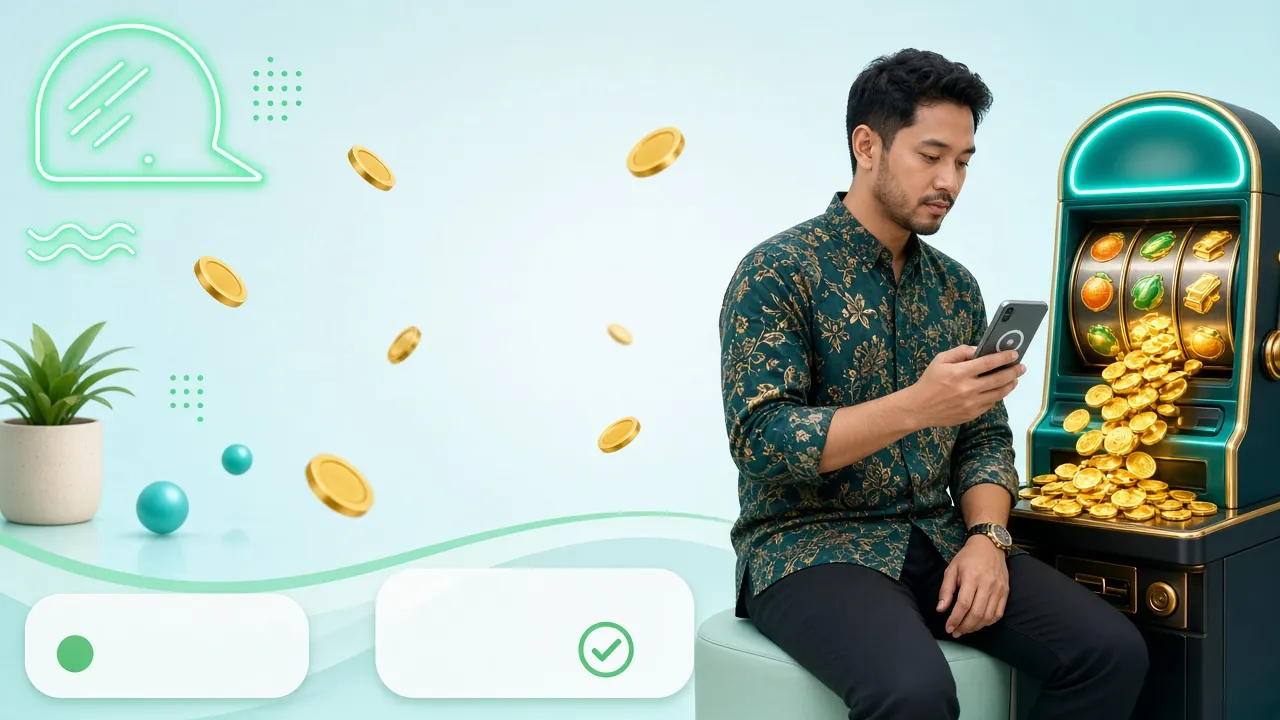
The lobby is not a cut-down list. Slots, fishing, live casino, crash and football markets all sit behind the same tab bar, and every game opens in the app rather than in a browser window.
Below are two of the titles that load quickly on a mid-range Android phone, with the numbers shown exactly as they appear in the lobby.
 RTP 95.9%
Slots
Diamond Tycoon
CQ9 · Min bet RM2
 RTP 95.3%
Live Casino
Double Exposure Blackjack
Evolution · Min bet RM0.10
Slots and fishing, cached for patchy data
Over 2,400 titles from CQ9, JILI, FA Chai, KA Gaming and Ezugi sit in one lobby. Open a game once and its artwork is cached on the phone, so the next session starts faster and uses less data.
Live tables with dealers, not animations
Evolution and Sexy Gaming run the live floor: blackjack, baccarat and roulette streamed from a real studio. Every table lists its own bet range before you sit, so you can size a session first.
Crash rounds for a short break
Crash-style games finish quickly, which suits the gap between meetings. Choose a stake, watch the multiplier climb, cash out before the round breaks, and the result lands in your history straight away.
Football markets that move with the match
Malaysian players spend most of the season on football. Odds refresh in the app while you watch, and the bet slip shows the stake and potential return before anything is confirmed, so there is no guessing.
Cashier without a browser jump
Touch ’n Go eWallet, DuitNow, FPX and bank transfer are handled inside the app. Deposits usually clear within 5 minutes and withdrawals within 37 minutes, from RM15 in and RM130 out.
One login, two screens
Balance, bonus turnover and withdrawal history live on bwf88’s servers, so the app and the website always agree. Start a game on the phone, open the same title on a laptop later, and progress follows you.
When the install stalls: five common faults and their fixes
Almost every failed install traces back to one of the five situations below. Work down the list before you contact support, since the first two account for most of the reports we get.
| What you see | Likely cause | What to do |
|---|---|---|
| “Your phone is not allowed to install unknown apps” | The browser you downloaded with has no install permission | Settings, Apps, Special access, Install unknown apps, pick that browser, choose Allow from this source, then tap the APK again. |
| “App not installed” or “package appears to be corrupt” | A partial download, or an older build signed differently is already on the phone | Delete bwf88.apk from Downloads, download again on Wi-Fi, uninstall the old copy, then install the fresh file. |
| The app installs but sits on the splash screen | Android older than 8.0, or battery optimisation killed the first launch | Check the version under Settings, About phone. On 8.0 or newer, clear the app cache and allow background data for it. |
| Login says wrong password, but the website accepts it | Autofill filled an old password, or the keyboard added a trailing space | Type the password manually with the space bar untouched, or reset it on the login page and sign in once more. |
| The cashier screen stays blank after you tap Deposit | A network filter blocked the payment window, or the e-wallet app is out of date | Switch from Wi-Fi to mobile data, update Touch ’n Go eWallet, then retry. If it persists, Live Chat runs 24/7. |
Before you install: the questions that come up most
Is the bwf88 APK safe to install?
The file on this page is served straight from bwf88.bet with no third-party bundles attached. Your phone will still warn you about unknown sources, because that is Android’s default for anything outside Play Store. Allow it for the browser you downloaded with, finish the install, then switch the permission back off.
Why is the app not listed on Google Play?
Google Play does not carry real-money betting apps for the Malaysian market, so bwf88 distributes the build directly from this page. That is normal for the category and the reason the install needs a manual permission. Treat any file that arrives from somewhere other than bwf88.bet as unverified.
How much data does the download and play use?
The download itself is 45 MB, so do it on Wi-Fi if you can. After that, slots cache their artwork locally and only fetch the result of each spin. Live dealer tables stream video, which is the heavier part, so a few rounds of blackjack cost noticeably more data than the same time on slots.
Can I sign in with my existing account?
Yes. The app takes the same username and password as the website, and there is no separate registration step. If you have not joined yet, create the account on the register page first, then install. Bonus turnover, cashback and VIP progress carry across both without being reset.
What if I use an iPhone?
There is no iOS build at the moment. iPhone players open bwf88 in Safari and add it to the home screen, which launches the mobile site full screen without the address bar. Functionally it is the website, with the same lobby, cashier, live chat and account balance.
How do I update to a newer build?
Compare the version in the download table above with the one you have installed. When a newer build is published, download it and install it straight over the old copy; your balance and history stay on our servers, so nothing is lost. Remove the old app only if the installer asks you to.
What are the withdrawal limits in the app?
Withdrawals start at RM130 and are capped at RM21,500 per day, with identical rules on app and website. Most requests complete in about 37 minutes. Your first withdrawal needs a verification check, and the team aims to review documents within 6 hours of receiving them.
Ready to move? Create the account on the bwf88 register page, then sign in through the bwf88 login page once the APK is on your phone.